
Download Gorilla Terminal – AI‑Powered Investment Research Software for Investors
Introduction
In the rapidly evolving world of finance, having timely, accurate, and actionable data can mean the difference between a winning trade and a missed opportunity. Gorilla Terminal arrives at a moment when both retail investors and professional portfolio managers are demanding tools that combine the depth of traditional research platforms with the speed and convenience of modern cloud‑based solutions. Built by a team of seasoned fintech engineers, the platform leverages artificial intelligence, natural‑language processing, and massive data‑aggregation pipelines to turn raw market information into clear insights that anyone—whether a novice trader or a seasoned analyst—can understand and act upon.
Unlike legacy terminals that require costly licenses and steep learning curves, Gorilla Terminal offers a subscription model that scales with the user’s needs, making it an attractive alternative for those who want a “Wall‑Street‑grade” experience without the associated overhead. This review explores the key aspects of the software, from its core capabilities and user experience to practical installation steps, compatibility considerations, and a balanced look at its strengths and weaknesses. By the end, you’ll have a comprehensive picture of whether Gorilla Terminal is the right addition to your investment toolkit and how to start using it securely and efficiently.
Overview and Core Capabilities
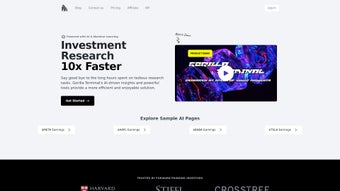
Gorilla Terminal is a browser‑based research environment that aggregates real‑time market data, fundamental filings, macro‑economic indicators, and sentiment analysis into a single, highly customizable dashboard. The platform’s AI engine continuously scans thousands of equities, ETFs, and commodities, flagging potential catalysts such as earnings surprises, regulatory news, or unusual trading volume. Users can drill down into pre‑built industry reports covering more than 30 sectors, each packed with revenue breakdowns, competitive landscapes, and forward‑looking outlooks.
A powerful financial statement analyzer extracts balance‑sheet, income‑statement, and cash‑flow metrics automatically, applying ratio calculations and trend visualizations that would otherwise require manual spreadsheet work. For investors who like to test hypotheses, Gorilla Terminal includes a scenario‑modelling engine that runs Monte‑Carlo simulations and what‑if analyses based on variables like interest‑rate changes, inflation trends, or commodity price swings. All of these capabilities are delivered through an intuitive, drag‑and‑drop interface that lets you assemble personalized workspaces, share research notes with teammates, and store your models securely in the cloud.
The platform is updated monthly with new data sets and refined AI models, ensuring that the insights you receive are always based on the latest information available.
- AI‑Enhanced Market Scanner: Real‑time scanning of thousands of equities using natural‑language processing to surface hidden catalysts, earnings surprises, and sentiment shifts.
- Industry Deep‑Dive Reports: Pre‑built analytical packs for over 30 sectors, including revenue breakdowns, competitive positioning, and regulatory outlooks.
- Financial Statement Analyzer: Automatic extraction of balance‑sheet, income‑statement, and cash‑flow data with ratio calculations, trend charts, and variance analysis.
- Customisable Dashboard Widgets: Drag‑and‑drop modules for price charts, news feeds, KPI meters, and AI‑generated risk scores, allowing each user to build a personal research cockpit.
- Scenario Modelling Engine: Built‑in Monte‑Carlo simulations and what‑if analysis tools that let investors test the impact of macro variables on portfolio performance.
- Collaboration Suite: Share research notes, charts, and model files with team members or advisors via secure links, with version control and comment threads.
- Secure Cloud Storage: All data and custom models are saved encrypted on Gorilla Terminal’s servers, with daily backups and two‑factor authentication (2FA) for access control.
- Regular Updates & New AI Models: Monthly releases introduce fresh data sets, improved forecasting algorithms, and UI enhancements based on user feedback.
Installation, Usage Guide and Compatibility
Because Gorilla Terminal is a cloud‑native web application, there is no traditional “install” process on a desktop. All you need is a modern browser—Chrome, Firefox, Edge, or Safari—and a stable internet connection. Below is a step‑by‑step guide to get you up and running in less than ten minutes.
- Create an Account: Visit gorillaterminal.com and click “Start Free Trial”. Enter your email address, choose a strong password, and confirm the account via the verification link sent to your inbox.
- Select a Subscription Plan: Choose between the “Investor” (individual) or “Pro” (team) plans. Both plans offer monthly or annual billing, with a discount for the annual option.
- Secure Your Login: Enable two‑factor authentication in the security settings. You can use an authenticator app (Google Authenticator, Authy) or receive SMS codes for added protection.
- Configure Your Workspace: The onboarding wizard guides you through selecting preferred markets (US, EU, Asia), setting up watchlists, and choosing default widgets. You can also import existing CSV files of tickers; Gorilla Terminal will automatically map columns to its internal data model.
- Explore Core Modules: Use the left‑hand navigation to access the AI scanner, industry reports, or financial statement analyzer. Each module includes contextual help pop‑ups and short tutorial videos that demonstrate key functions.
- Save and Share Your Work: All dashboards and models are saved automatically in the cloud. You can generate shareable links, assign view‑only or edit permissions, and add comments for collaborative research.
Compatibility: Gorilla Terminal runs on any device with a supported browser, including Windows 10/11, macOS Monterey and later, Linux distributions, Android 8.0+, and iOS 13+. For users who prefer an app‑like experience, the platform supports Progressive Web App (PWA) installation, allowing you to add a shortcut to your desktop or mobile home screen for offline‑ready access to your saved workspaces.
Because all calculations are performed on Gorilla Terminal’s servers, performance is largely independent of your local hardware. However, a broadband connection of at least 5 Mbps is recommended to stream high‑resolution charts and real‑time data feeds without lag. If you encounter latency during peak market hours, consider switching to a wired Ethernet connection or a higher‑speed ISP plan.
Pros and Cons – Detailed Review
Overall Rating: 4.3/5
Pros
- AI‑driven insights dramatically reduce the time spent on manual data collection.
- Extensive library of industry reports that rival paid Bloomberg terminals.
- Highly customisable dashboard makes the workflow feel personal and efficient.
- Secure cloud storage with 2FA protects sensitive research data.
- Cross‑platform compatibility—works on Windows, macOS, Linux, Android, and iOS.
Cons
- Subscription cost can be steep for hobbyist investors (starting at $49 / month).
- Learning curve for the advanced scenario‑modelling tools.
- No offline desktop client; users must maintain an internet connection.
- Limited integration with third‑party portfolio‑management software (API still in beta).
- Occasional latency spikes during high‑volume market openings.
Frequently Asked Questions
Is Gorilla Terminal suitable for beginners with no finance background?
Yes. The platform includes guided tutorials, plain‑language explanations of financial ratios, and a “Quick‑Start” mode that recommends a curated set of widgets and reports for new investors.
How often is the data refreshed?
Market data (prices, volumes) updates in real time during trading hours. Fundamental data (earnings, balance sheets) is refreshed as soon as companies file their reports, typically within minutes of SEC releases.
Can I cancel my subscription at any time?
Yes. Subscriptions are month‑to‑month with a 30‑day notice period for annual plans. The cancellation process is handled through the account dashboard and is immediate for monthly billing.
Does Gorilla Terminal integrate with brokerage accounts for order execution?
Currently, Gorilla Terminal focuses on research and does not provide direct trade execution. However, it offers export options (CSV, XLSX) and a read‑only API that can be linked to compatible brokerage platforms in the future.
What security measures protect my research and personal data?
All data is encrypted at rest (AES‑256) and in transit (TLS 1.3). Two‑factor authentication is mandatory for admin accounts, and regular penetration testing is performed by third‑party security firms.
Conclusion – Should You Download Gorilla Terminal?
If you are serious about moving beyond generic news feeds and want a research environment that rivals professional terminals, Gorilla Terminal is a compelling choice. Its AI‑powered scanner, deep‑dive industry reports, and flexible modelling tools deliver value that can justify the subscription cost for active traders and portfolio managers. While the price point may deter casual hobbyists, the platform’s robust security, cross‑device compatibility, and continuous data updates make it a future‑proof investment for anyone looking to make data‑driven decisions. Ready to experience Wall‑Street‑grade research without the hefty licensing fees? Start your free trial today and see how Gorilla Terminal can elevate your investment workflow.



.png)



